Say it
“Hey wiggins, add oat milk.” “Todo call the plumber.” “What’s on tomorrow?” It listens for its name, answers out loud, and shows an undo for ten seconds because it will mishear sometimes.
A personal assistant that runs a home
Calendars, groceries, to-dos and bills for everyone in the house, on an iPad by the door or the TV in the kitchen. You talk to it. It keeps up.
Added olive oil to groceries.
Prop an iPad by the door and it becomes Control: check things off, type a to-do, snap a bill, talk. Plug in a monitor or AirPlay to an Apple TV and the big screen shows the day, nothing to tap, readable from across the room.
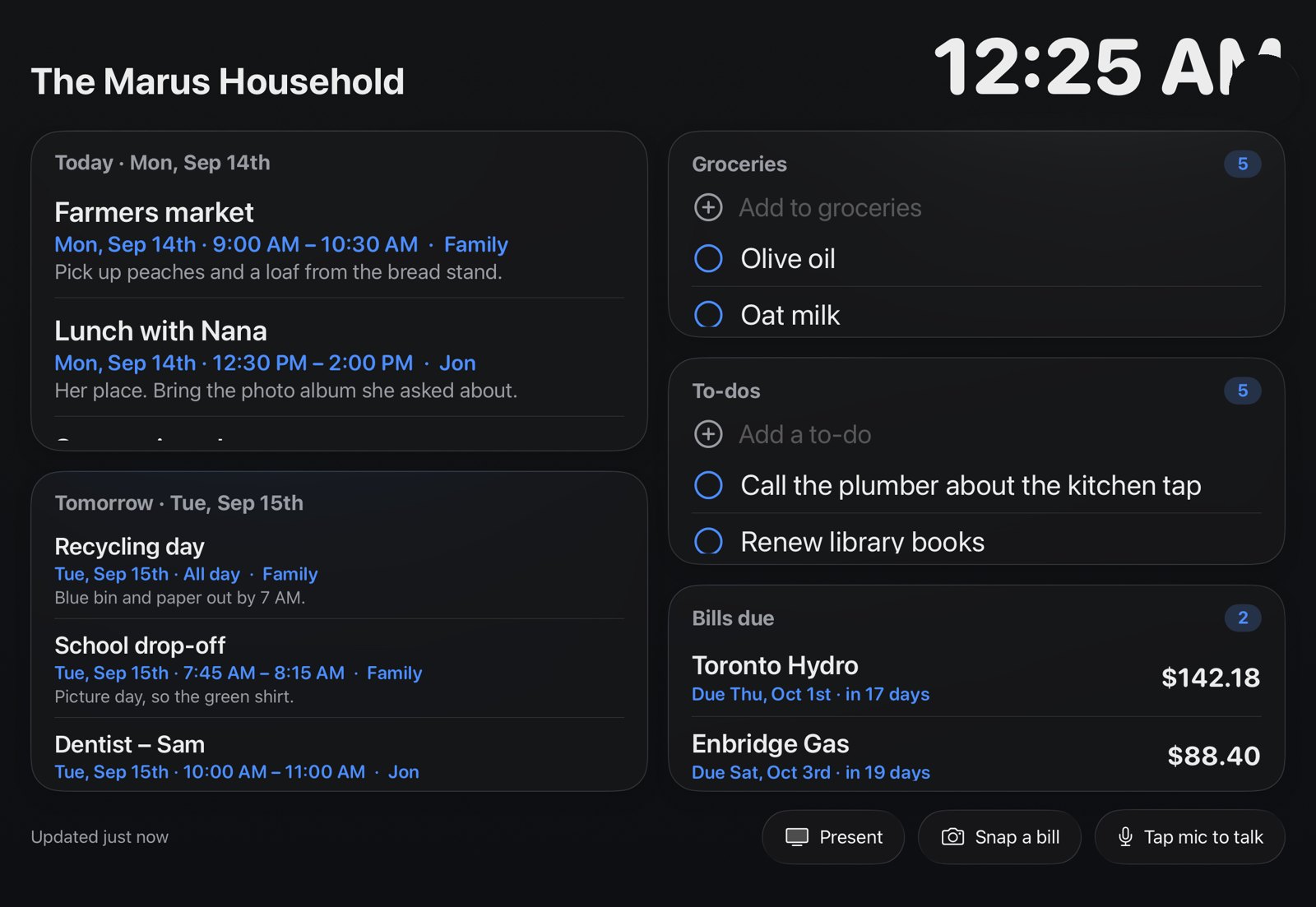
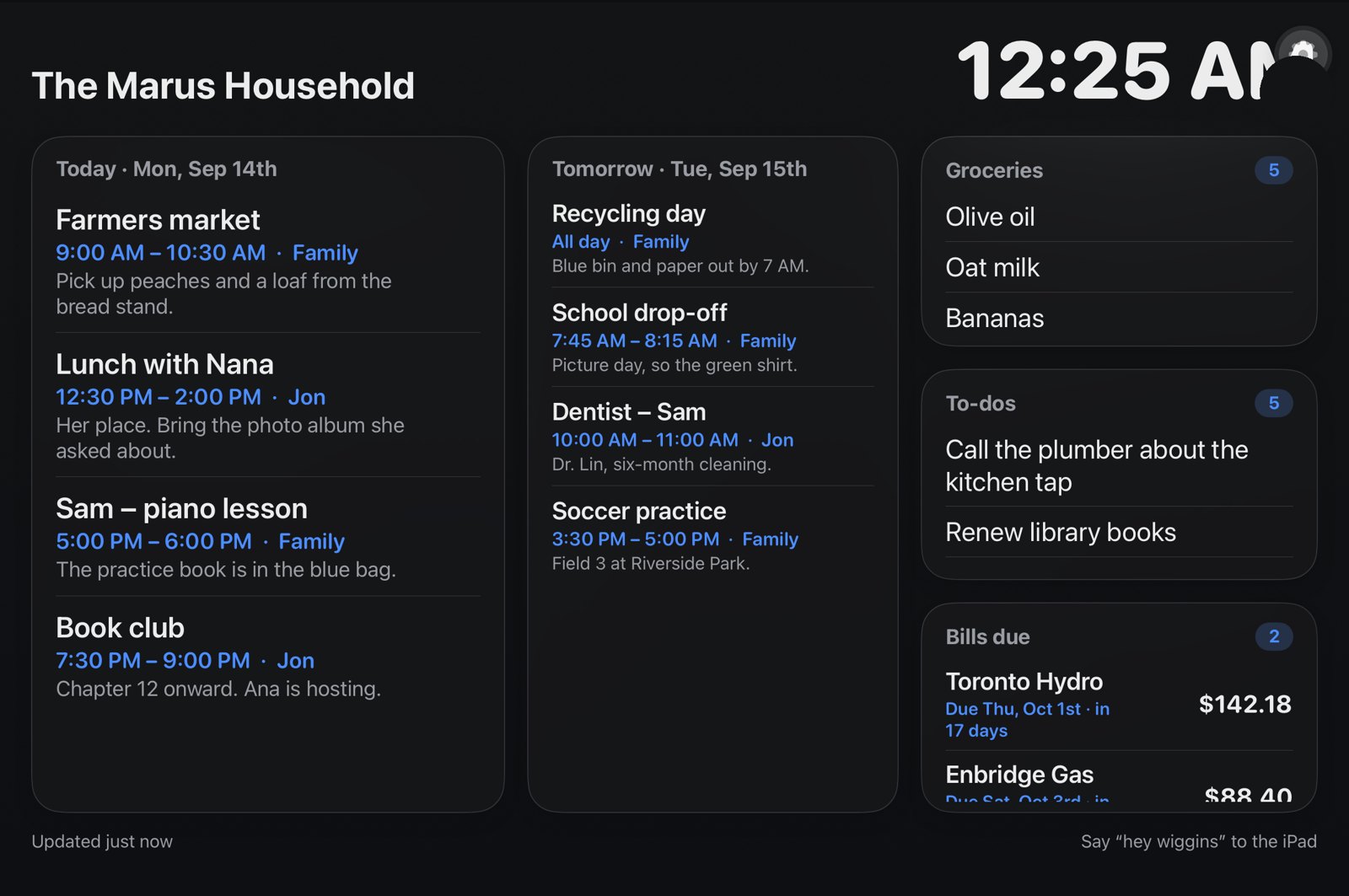
“Hey wiggins, add oat milk.” “Todo call the plumber.” “What’s on tomorrow?” It listens for its name, answers out loud, and shows an undo for ten seconds because it will mishear sometimes.
Hold a bill up to the iPad. It reads the vendor, amount and due date on the device, says them back, and on “yes” puts a pay-by reminder on the list and the bill in Bills due.
The same shortcuts work through Siri on any of the household’s iPhones and Apple Watches: add to the list, snap a bill, hear what’s on today.
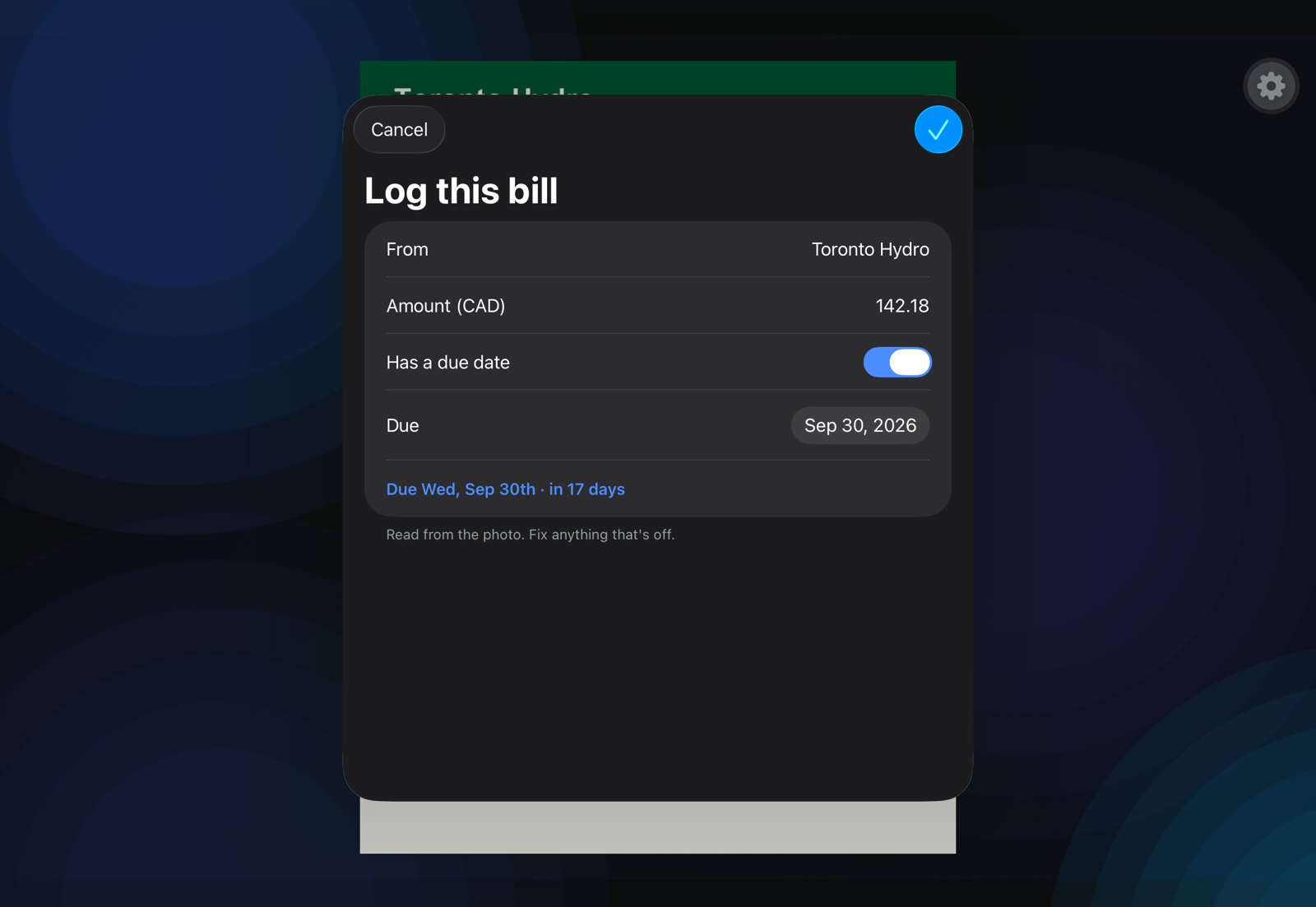
The photo stays on your iPad for reading; only the vendor, the amount and the date are kept. Checking off “Pay Toronto Hydro” marks the bill paid. Nothing is logged until you say yes.
Sign in with an email link at app.wigginsapp.com. No passwords.
Google Calendar for each of you, or any calendar’s private link. Wiggins merges them into one day.
Open the app on the iPad; it shows a six-digit code. Type it on the Devices page. The iPad never logs in, so there is nothing on it to steal.
Guided Access on, auto-lock off, plugged in. Add a monitor or an Apple TV whenever you like.
Your data stays yours. Every household is its own tenant. Calendars are read-only. The iPad can only read the house and write to the lists.
On-device where it matters. The wake word, transcription and bill reading run on the iPad. Speech never streams to a server.
Undo, always. Every voice add shows an undo. Every bill asks before it is logged.
Already set up? Sign in.